显示标签为“russia dvb-t2 box”的博文。显示所有博文

2015年1月20日星期二

New firmware for Android TV Box with DVB-T2 Vigica C60T

New firmware for Android TV Box with DVB-T2 Vigica C60T


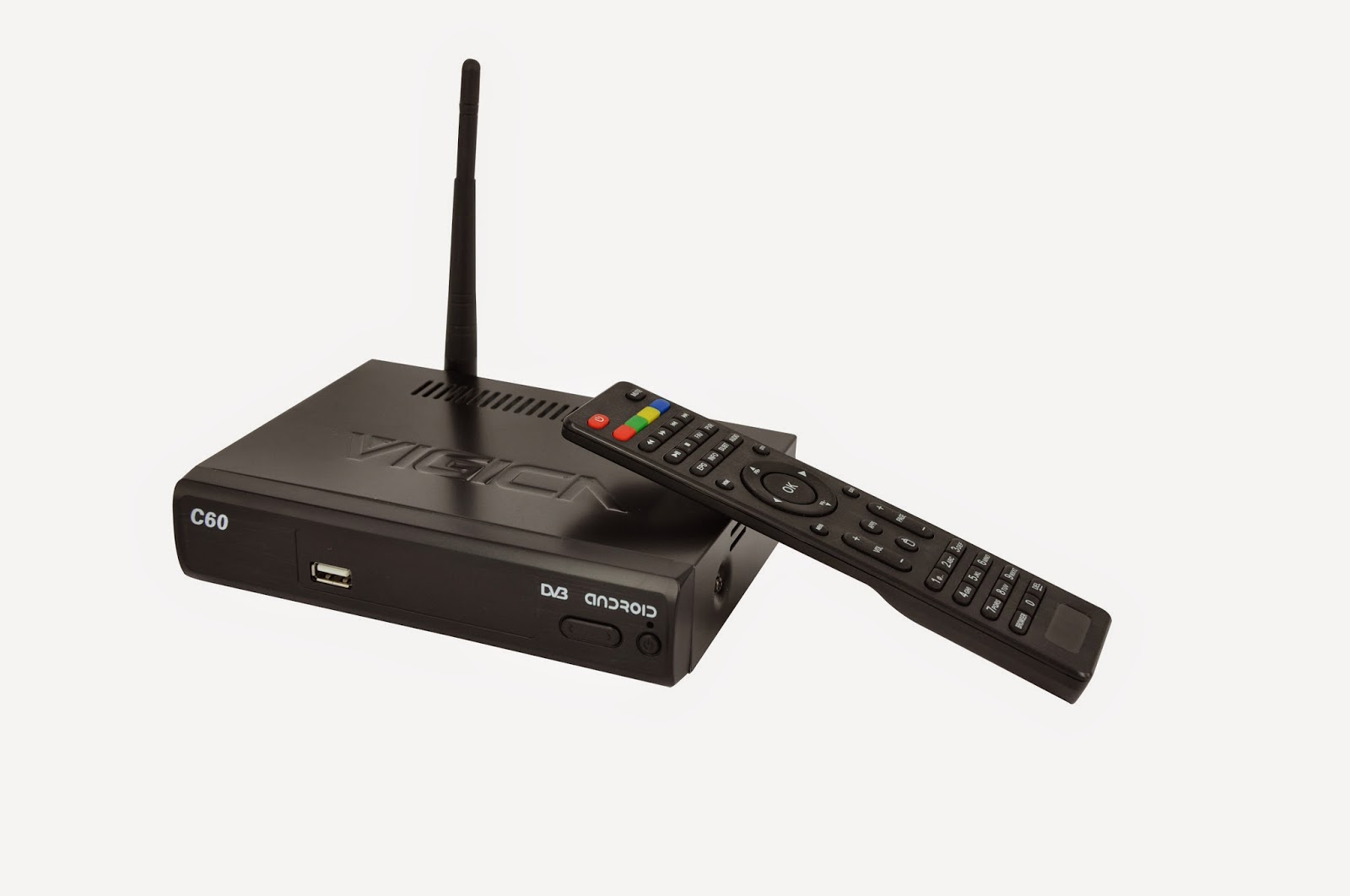
Android TV Box with DVB-T2 XBMC 13.0 Vigica C60T
Android TV Box with DVB-T2 XBMC 13.0 Vigica C60T TV Box


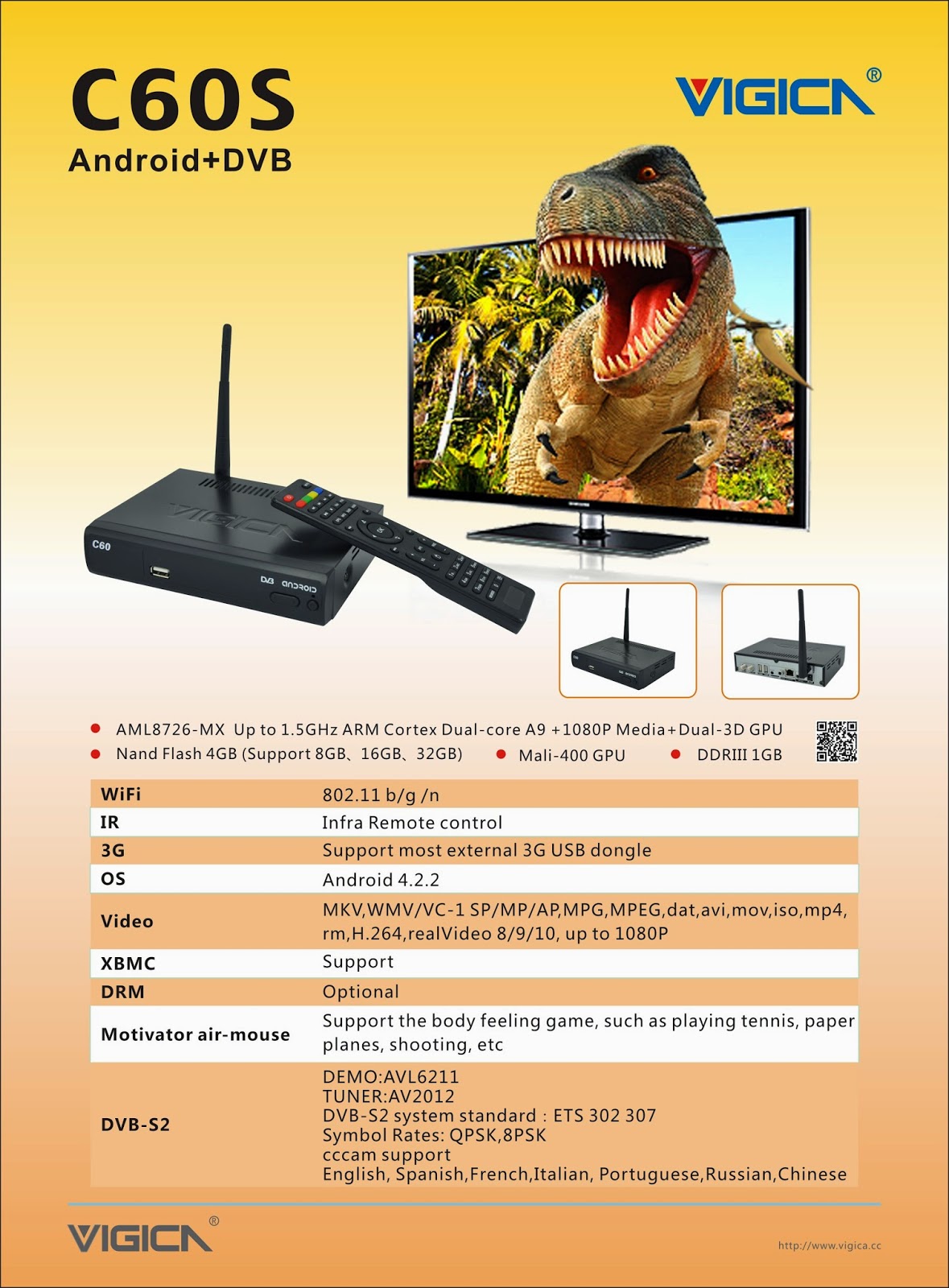
this version use the Newly UI, much the same with the DVB-S2 Android tv box Vigica C60S. 


Here have more choice for edit channels. 

how to update the Vigica C60T, please according to the Vigica C60S update steps. 

http://vigicaiptvbox.blogspot.com/2014/12/about-newest-update-for-vigica-smart-tv.html


About the firmware ,please download from the following link.

https://drive.google.com/folderview?id=0B_AK94MdnE7wZFl3QTJGUUxJZmc&usp=sharing


2014年12月28日星期日

Difference between Android TV Box and Traditional Set Top Box


The difference between Android TV Box and Digital Video Broadcast


What is Android TV Box ?


Android tv box is hot selling with a wide open platform, equipped with the Android operating system, can install and uninstall the software, games and other Apps provided by the users themselves, through such programs to continue the TV function be expanded, and through a network cable, wifi to achieve a new generation of set-top boxes to surf the Internet in general.

Traditional Set Top Box, is connected to a TV with an external signal source equipment,compresses the digital signal into TV content, and displayed on the TV. Signal can come from a wired cable, satellite antennas, broadband networks, and terrestrial broadcasting

The Difference

For example Traditional STB Cloud ibox(recently hot sell model for europe)


Android tv box


1.Different Main Function:

The traditional TV programs are fixed and can not access the Internet, consumers can not follow their own preferences dominate television program, does not have the content and applications can be loaded. Android TV box is connected via a network cable or wireless WIFI access to the Internet on the TV to achieve web browsing, video movie playback, online chat, games and entertainment, online movies and television can be based on their own preferences dominate television programs, also can install applications .

2.Different Program content

The general set-top box to receive the various TV channels, while Android set-top box is to achieve the same functionality of various computer via the Internet, such as: watch movies online television, video games, web browsing, Facebook, blog, send and receive e-mail, online chat, and other content.

3.Different Network access
Android TV Box can be viewed as a video program to get through the INTERNET set-top boxes,is connected to the coaxial cable, taking the cable network; and Android set-top box connected to the network cable, is taking the Internet


More details about Android tv box, please check www.vigica.cc


2014年12月25日星期四

О новых обновлений для Vigica Smart TV Box C60S DVB-S2

О новых обновлений для Vigica Smart TV Box C60S DVB-S2

На прошлой неделе мы уже размещен вне новая прошивка для Vigica C60S и C70S DVB-S2 CCCAM коробки.


Подробнее читайте здесь:

Обновление шаги:
Метод 1

(Обычно, коробка не могу открыть, как правило, не могу питание, и вы хотите, чтобы сделать фиксированную MAC к коробке, пожалуйста, используйте этот метод)

    Отформатируйте SD карту, затем поместить эти файлы и инструменты в SD-карты обновить непосредственно, а затем подключите кабель HDMI с Vigica смарт-поле и телевизором, Вставьте SD карту в окне vigica, мощность на коробке vigica, то окно будет вступать в обновления системы, пожалуйста, не выключайте питание системы, после диалоговое окно, отображающее стирания, пожалуйста, снять SD карту из vigica смарт-коробки. через несколько секунд, окно скажет Вам ввести адрес MAC по Scaaing или клавиатуры, после этого, пожалуйста, restard кассовые системы Vigica, окно автоматического перезапуска снова. завершения обновления.

Шаг 1: Запустить обновление

Шаг 2: Вставьте SD-карту и подключить кабель HDMI

www.vigica.cc/products/hd-android-smart-tv-box-dvb-s2-android-vigica-c60s.html

Шаг 3: Мощность на коробке

www.vigica.cc/products/hd-android-smart-tv-box-dvb-s2-android-vigica-c60s.html

Шаг 4: окно будет идти введите автоматического обновления сама по себе

www.vigica.cc/products/hd-android-smart-tv-box-dvb-s2-android-vigica-c60s.html

Шаг 5: передняя панель, показывающая

www.vigica.cc/products/hd-android-smart-tv-box-dvb-s2-android-vigica-c60s.html


Шаг 6: После окно показывает стирания
www.vigica.cc/products/hd-android-smart-tv-box-dvb-s2-android-vigica-c60s.html


Шаг 7: снять SD карту

www.vigica.cc/products/hd-android-smart-tv-box-dvb-s2-android-vigica-c60s.html


Шаг 8: около 30 секунд, окно перезагрузки


www.vigica.cc/products/hd-android-smart-tv-box-dvb-s2-android-vigica-c60s.html


Шаг 9: первом входе системы после обновления
www.vigica.cc/products/hd-android-smart-tv-box-dvb-s2-android-vigica-c60s.html


Шаг 10: обновление успех
www.vigica.cc/products/hd-android-smart-tv-box-dvb-s2-android-vigica-c60s.html


Методы 2

(Если вы просто хотите, чтобы обновить ошибок, коробка может хорошо работать, пожалуйста, используйте это одно, это методы не скажу вам записать MAC-адрес)

Поместите файлы в USB или SD карты (Пожалуйста, обратите внимание: только те файлы, Vigica в USBor SD карты напрямую)

Мощность на смарт-поле Vigica во-первых, после входа в главный интерфейс, вставьте USB или SD карту в окне vigica, а затем перейти в всех приложениях ----- локального обновления, окно будет читать данные из USB или SD-карты, выбрать то, что файлы, vigica Box пойдет на обновление само по себе, а затем перезапустить.

Шаг 1: на коробке, войти в приложение


Шаг 2: Вставьте SD-карту или USB к коробке


Шаг 3: выберите локального обновления


Шаг 4: выберите прошивку, нажмите кнопку ОК.


Шаг 5: окно будет идти ввода обновления, а затем перезапустить снова.

обновление будет завершено. более подробную информацию можно проверить ww.vigica.cc

http://www.vigica.cc/products/hd-android-smart-tv-box-dvb-s2-android-vigica-c60s.html

http://www.vigica.cc/products/hd-android-smart-tv-box-dvb-s2-android-vigica-c60s.html

Vigica C60S / Vigica C70S Android с DVB-S2 поддержки CCCAM, Newcamd

Vigica C60T / Vigica C70T Android с DVB-T2, России, Таиланда поддержки

Vigica C70A Android с ATSC тюнер для Северной Америки (Канада, США, Мексика, Корея)

Vigica V3, RK3288 4K видео Quad Core TV Box

Vigica V5, S805 Quad Core TV Box

Vigica VG328, RK3288 Mini PC. Fly Mouse Ipush Dongle

http://vigicaiptvbox.blogspot.com/ 

http://www.facebook.com/vigicaiptvbox

More details please check www.vigica.cc

2014年12月22日星期一

How to connect the Android TV Box & DVB-S2 Vigica C60S with the TV and simple operation?

How to connect the Android TV Box & DVB-S2 Vigica C60S with the TV and how to operate?

 
  Android set-top boxes, not just a high-definition player, but also has a new interactive mode,    which is different from the computer, but unlikethe touch screen. Android set-top boxis equipped with an infrared sensor bar, remote control air flying squirrel general use, so you can easily achieve a variety of single-point touch screen operation, can facilitate the play angry birdson TV, zombies and other classic games.


And now, we will tell you how to connect the Android TV Box with the TV, the Vigica C60S as a example:
http://www.vigica.cc/products/hd-android-smart-tv-box-dvb-s2-android-vigica-c60s.html

http://www.vigica.cc/products/hd-android-smart-tv-box-dvb-s2-android-vigica-c60s.html


1.   As you know, TV generally have HDMI high-definition interface, there are some older TV does definition interface, only AV interface (that is yellow and red tricolor interface), but both are the same connection. As shown below, directly to the cable into the connector on the line.
http://www.vigica.cc/products/android-satellite-receiver-android-dvb-s2-android-set-top-box-with-1080p-hd-xbmc-dual-core-android-4.html


Set the TV HDMI Resolution, then connect the box with TV set by HDMI cable. Usually the box use the lower resolution, if you want the hig quality about the screen, please set by yourself according to your inquiry. 


2. Connect wifi antenna, if you use Ethernet, please insert the LAN Cable. 

 
3.Plug tv interface with HDMI cable.Directly into theHDMIporton the line.

http://www.vigica.cc/products/android-satellite-receiver-android-dvb-s2-android-set-top-box-with-1080p-hd-xbmc-dual-core-android-4.html

4.       As you see, there are a image in the screen:
http://www.vigica.cc/products/hd-android-smart-tv-box-dvb-s2-android-vigica-c60s.html

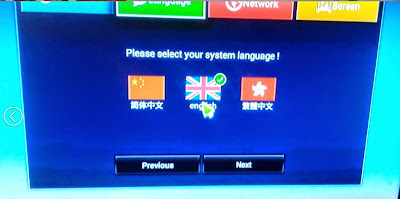
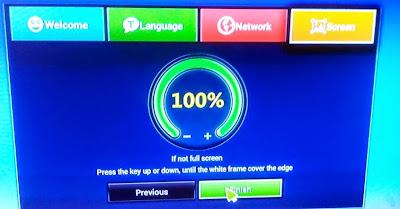
5.       Then you choose the language and the screen size by yourself.
http://www.vigica.cc/products/hd-android-smart-tv-box-dvb-s2-android-vigica-c60s.html

6.And then, you can see the menu:
http://www.vigica.cc/products/hd-android-smart-tv-box-dvb-s2-android-vigica-c60s.html
    
7.Choose the Setting, you should connect the Internet first.


  (WIFI and Ethernet, Portable WIFI can use)
http://www.vigica.cc/products/hd-android-smart-tv-box-dvb-s2-android-vigica-c60s.html


http://www.vigica.cc/products/android-4.2-dvb-s2-full-hd-hdmi-tv-box-vigica-c60s.html


8.And then, you can surfing online
If you are interested in the Vigica C60S, you can check this link: www.vigica.cc

2014年12月21日星期日

Android&DVB-T2 Smart tv box Vigica C70T Russia, Thai language supported

Vigica C70T --- The Combination of Smart TV Box and Digital Terrestrial Receiver Machine


 http://www.vigica.cc/products/vigica-c70t-android-dvb-t2-network-box-support-russian.html


Smart TV box has now become one of the most popular tv in the world, but there are some countries, wireless networks and Ethernet are not common yet, if they want to watch TV shows, they still need one machine that it could receiver signal.

Now, Here is one machine with Android Tv Box and Digital Terrestrial Receiver Function.


http://www.vigica.cc/products/vigica-c70t-android-dvb-t2-network-box-support-russian.html


Android
OS: Anroid 4.2.2
Language supported: Chinese , English ,Germany ,Japanese, Korea  etc.  24 languages
CPU: AML8726-MX  Up to 1.5GHz ARM Cortex Dual-core A9 + 1080P Media+Dual-3D GPU
GPU: Mali-400 GPU
Memory: DDRIII 1GB
Flash: Nand Flash 4GB
HDMI 1080P resolution
TF card supported 1-32G
DLNA: Pushed the video, audio, pictures from phone or network to TV
Airplay: Pushed the video, audio, pictures from IPHONE or IPAD to TV
3D Movie supported
XBMC supported
Email supported
Talk online: Support  SKYPE video  call ,MSN , facebook ,twitter ,QQ  etc


http://www.vigica.cc/products/vigica-c70t-android-dvb-t2-network-box-support-russian.html

http://www.vigica.cc/products/vigica-c70t-android-dvb-t2-network-box-support-russian.html


DVB-T2
DEMO:SI2168
TUNER:NMI120
DVB-T2 system standard:ETSIEN 302 755
Bandwith: 6/7/8MHz
Demodulation: QPSK,16QAM,64QAM or 256QAM

http://www.vigica.cc/products/vigica-c70t-android-dvb-t2-network-box-support-russian.html


This is android STB, and more Android+ DVB-S2 or +T2,  Support 3g,3D, built in wifi, Free Internet searching, thousands of android applications, many kinds of games,etc. can sell together with iptv account ( Arabic account, HK,Taiwan Account, Japan Account, Korean account), option.

http://www.vigica.cc/products/vigica-c70t-android-dvb-t2-network-box-support-russian.html

You may have already heard some news about VIGICA, the Vigica C70S and Vigica C60S (android&DVB-T2).


Pls Visit www.vigica.cc or send email to info@vigica.cc , all emails will be replied within 24 hours.